Running & Cycling Motion Analysis

Understand how you run and ride, starting from the pelvis

TEKFIT Mango records every movement of your pelvis from the lower back (L5). Together with the smartphone app and GPS, it produces a running or cycling report automatically after each session.
  1. No lab required: record outdoor runs and long rides, with route, gradient and motion data on one shared timeline.
  2. Clear and comparable: motion score, grade and percentile, backed by production running and cycling norm databases.
Choose a Solution See a Sample Report
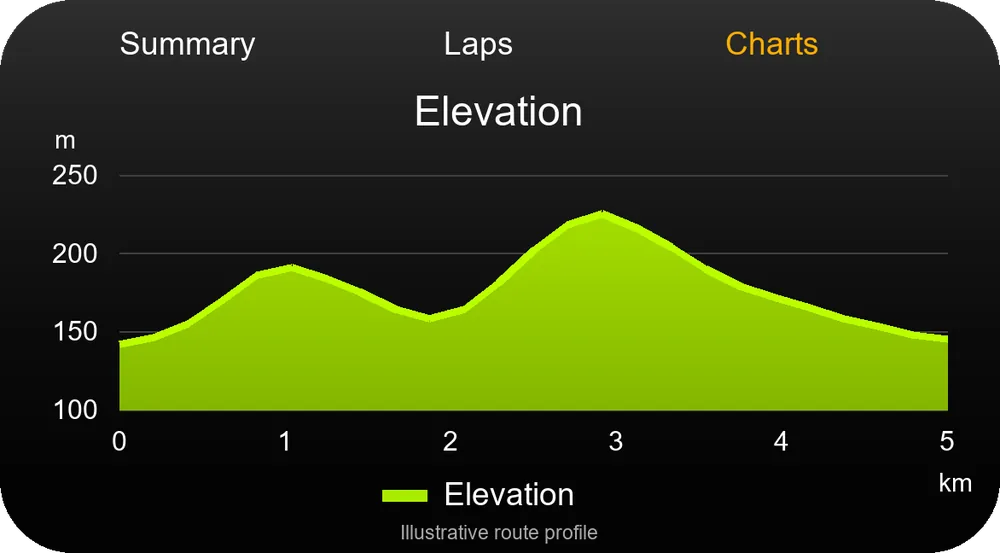
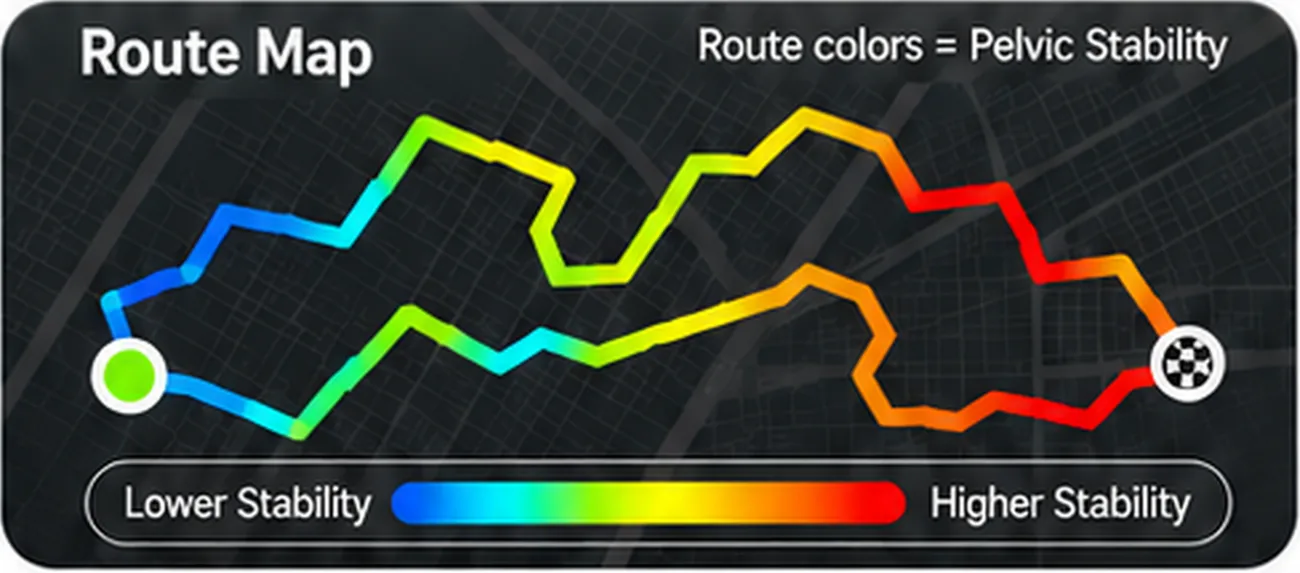
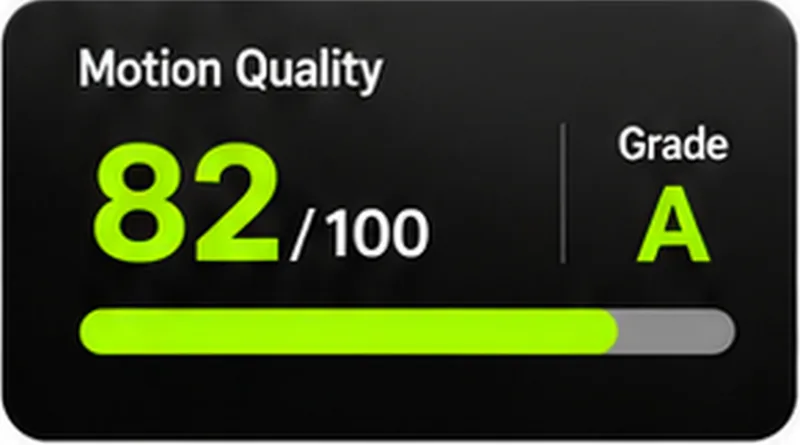
App route map colored by pelvic stability App motion quality score card App elevation chart

Motion Assessment

Three-axis pelvic range, stability and left-right symmetry, calculated per cycle and scored against norms.

AI Coach

Turns the metrics into plain-language explanations and suggests what to try next time.

Event Intelligence

Full-course riding posture reports for event participants, segment by segment.

When you run or ride, the pelvis is the center of your whole-body motion. How much it tilts side to side, tips forward and back, and rotates, and how consistent those movements are, changes with pace, gradient and fatigue. Mango records these changes second by second, so you can see where on the route and under which conditions your form starts to slip, and then compare against yourself next time.

Solutions

Two Solutions to Fit Your Needs

Start with just your smartphone, or add the MOXI sensor for complete pelvic posture data.
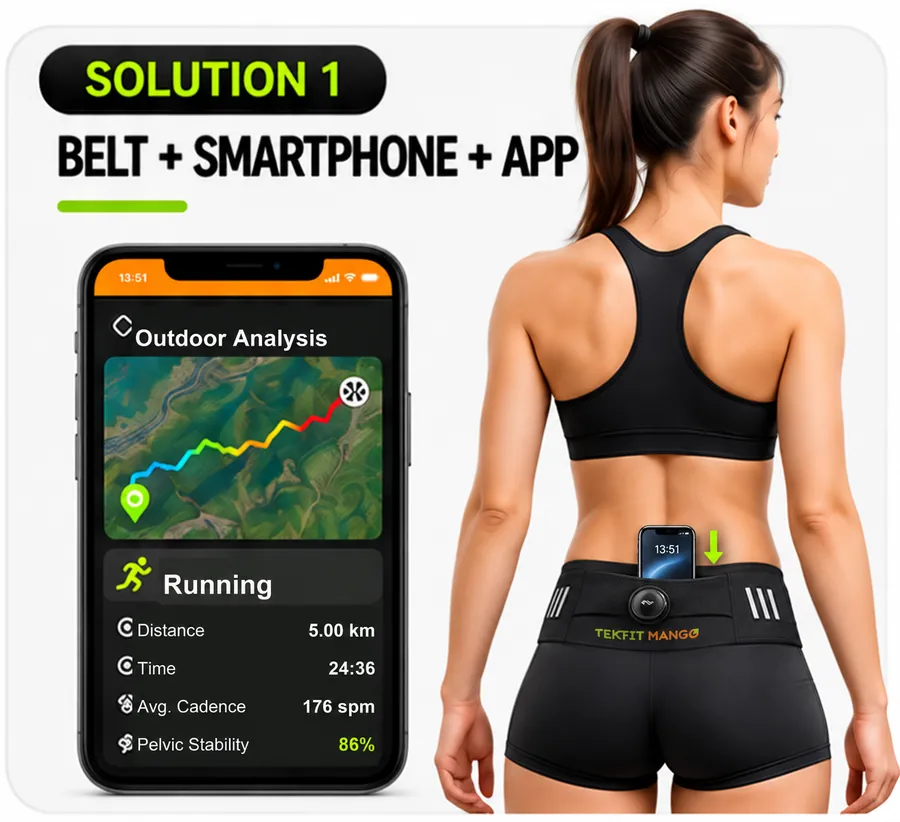
Solution 1: belt, smartphone and app
SOLUTION 1

Belt + Smartphone + App

Slip your phone into the rear pocket of the belt, close to the pelvis, and record with the phone itself. No extra sensor to buy, so it is an easy way to get started.
  • Records route, time, distance and cadence
  • Provides validated metrics such as pelvic stability
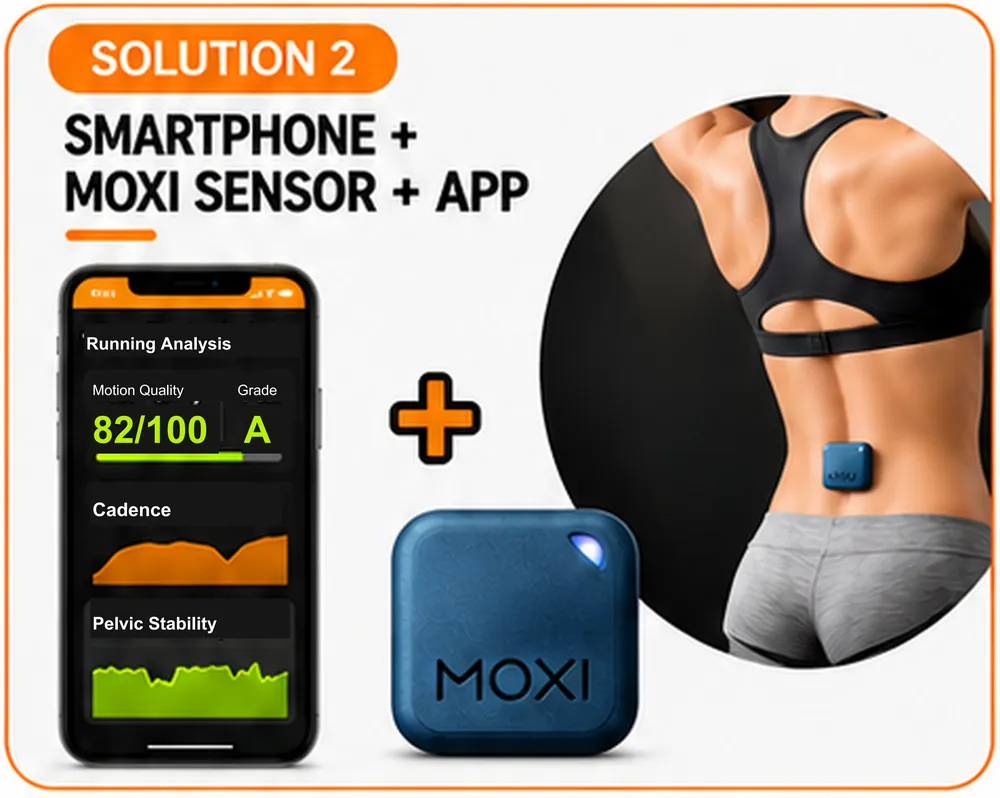
Solution 2: smartphone, MOXI sensor and app
SOLUTION 2

Smartphone + MOXI Sensor + App

The MOXI sensor is fixed on the lower back at L5, while the phone handles GPS and the app. With the sensor held close to the body, pelvic posture measurement is more complete.

  • Three-axis pelvic angles, range of motion, sway area and symmetry
  • Motion quality score, grade and per-parameter ratings
What Mango Measures

Three-Axis Pelvic Motion

Built around pelvic obliquity (X), anterior-posterior tilt (Y) and rotation (Z), Mango measures how much you move and how stable that movement is for every stride or pedal stroke.
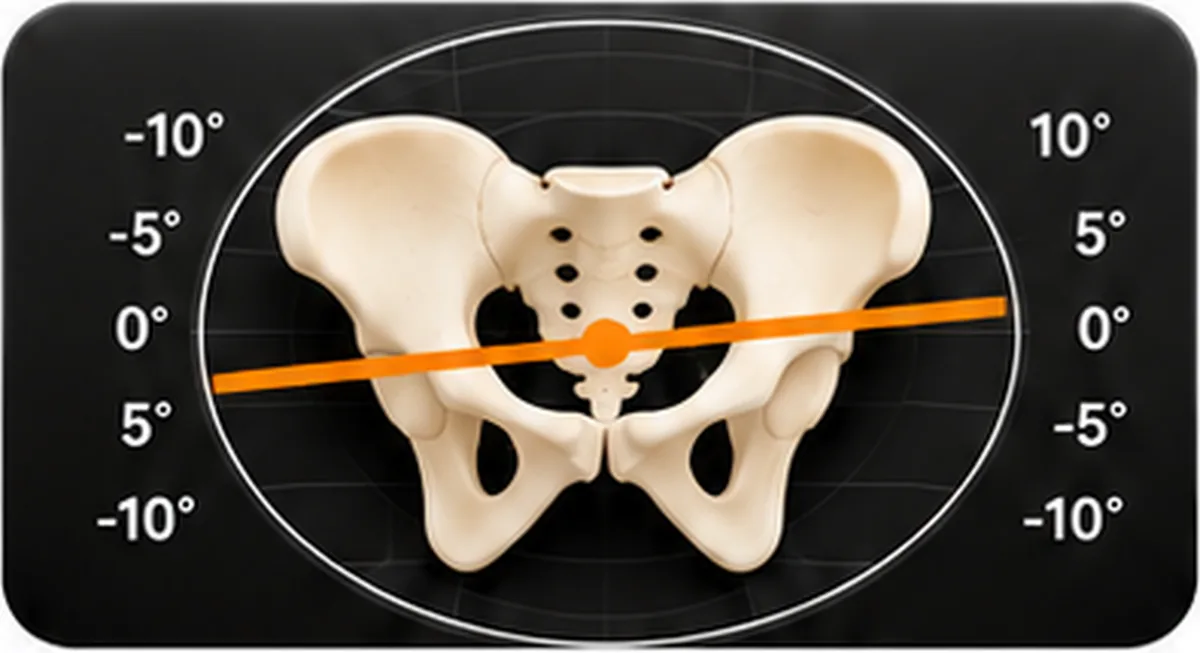
Pelvic obliquity angle illustration

Calculated for every cycle

  • Range of motion: side-to-side, forward-back and rotation range (degrees).
  • Pelvic stability: how consistent the sway range is from cycle to cycle, scored 0–100.
  • Sway area: the size of the area traced by side-to-side and forward-back motion in each cycle.
  • Symmetry: whether motion and timing are balanced between left and right.
  • Cycle detection: automatically splits every stride (running) or every pedal revolution (cycling).
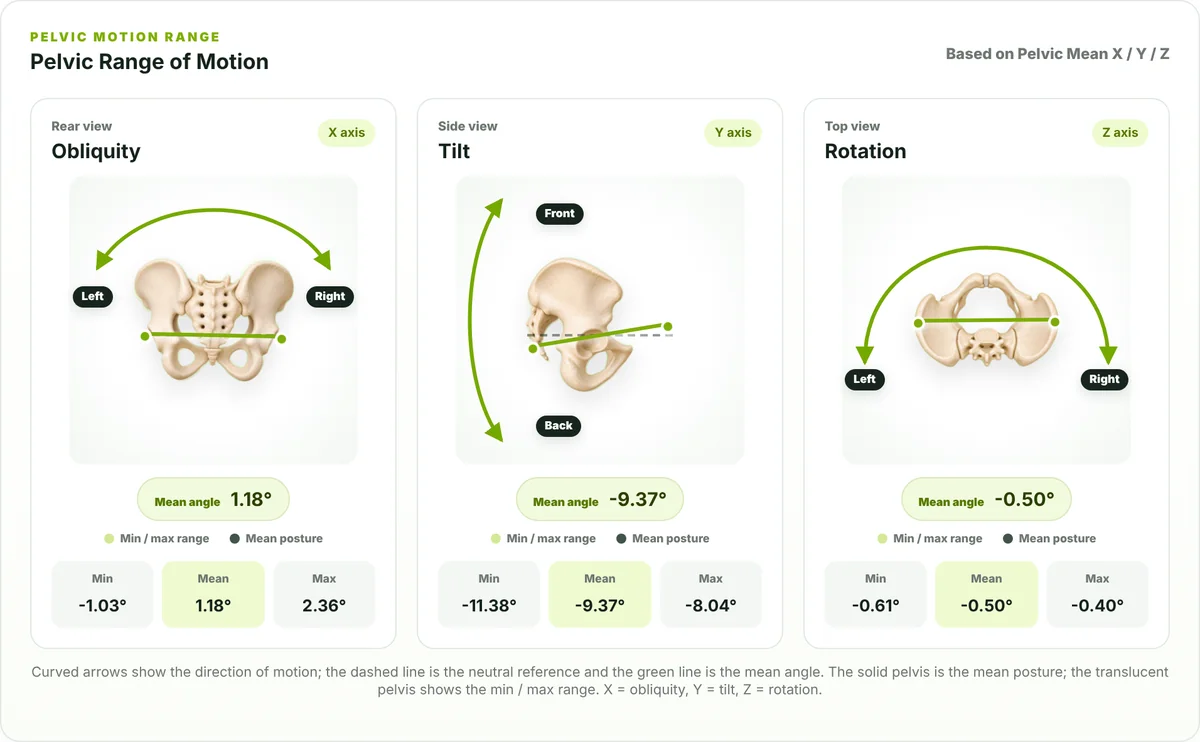
Pelvic range of motion: obliquity, tilt and rotation views
Pelvic range card from the user website: minimum, mean and maximum angle for each axis.
R

Running

Gait timing parameters plus pelvic motion, with pace and route from phone GPS.

CadenceGround contact timeFlight timeStance / swing phaseLoading ratioPelvic stability
C

Cycling

Long outdoor rides recorded second by second, automatically split into climbs, descents and flats by gradient.

Pedal cyclesPelvic stabilitySway areaLateral swayRotation rangeGradient segments
S

Scoring & Norms

Each parameter is graded and scored against a norm database, then summarized in a hexagon rating.

Motion quality scoreGradeHexagon ratingPercentile
Usage Process

How It Works

Four steps from putting it on to reading your report.

Put It On

Wear the belt with your phone inside, or fix the MOXI sensor on your lower back at L5.

Start Recording

Start recording in the app. The phone logs GPS at the same time while you run or ride as usual.

Upload to the Cloud

Upload when you finish. Data goes straight to cloud storage, so even long rides can be uploaded.

Get Your Report

Cloud algorithms compute cycles, metrics, scores and segments, viewable in the app and on the web.

Real-time in the App

See It at a Glance

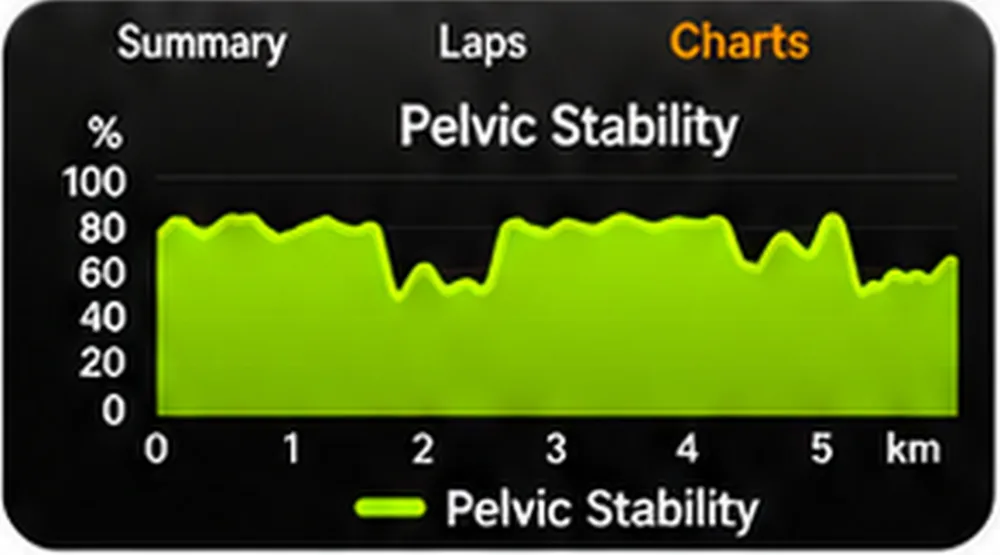
Score, pelvic stability and route profile, right after your run or ride.
Motion quality score
Motion QualityOverall score and grade on one card
Pelvic stability chart
Pelvic StabilitySee along the distance where stability drops
Elevation chart
Route ProfileRead motion changes against the terrain
Report

Interactive Activity Reports

The screens below are taken from real reports (Chinese interface; English is also available for the cycling report).
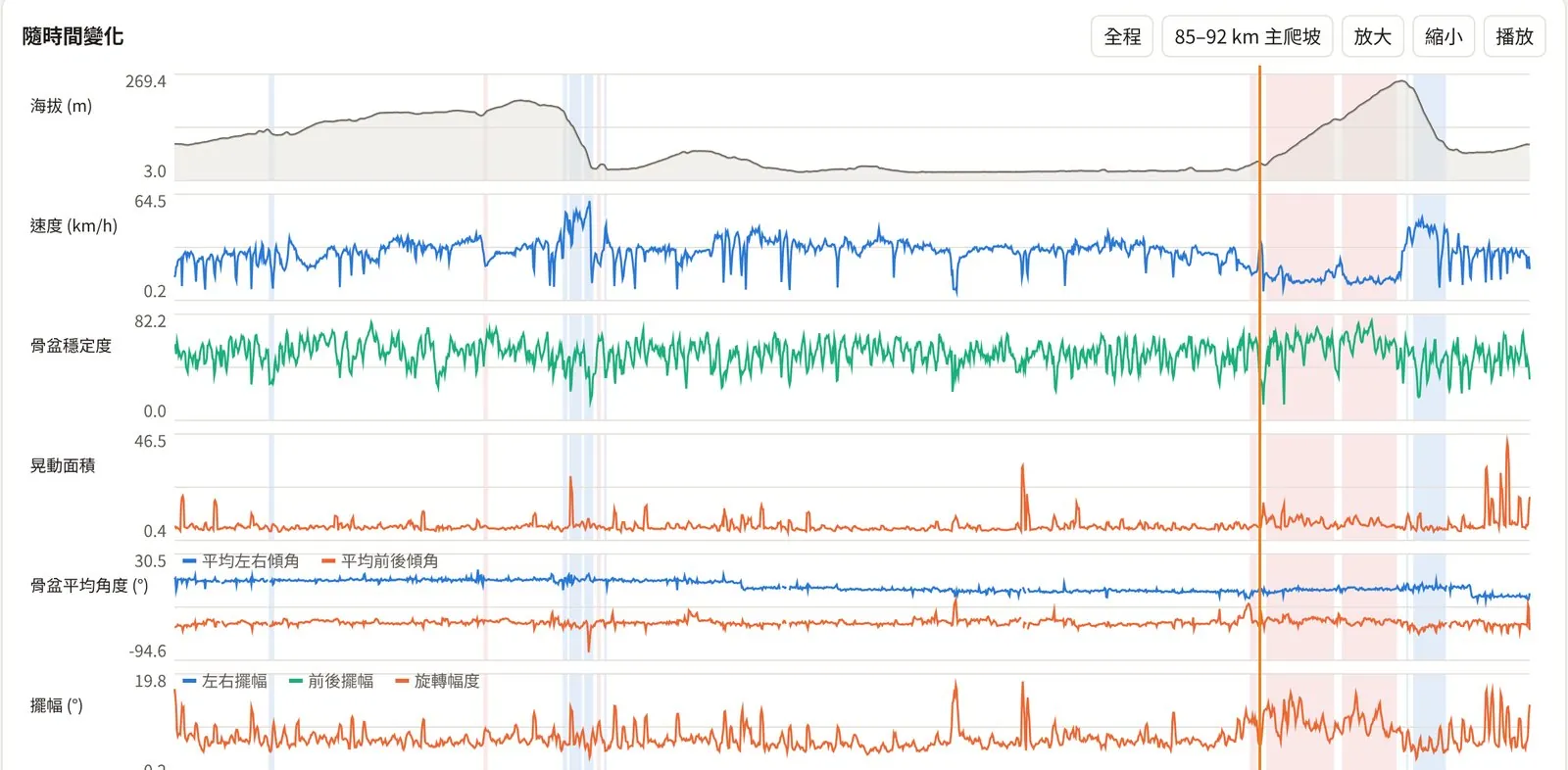

Outdoor cycling report timeline: elevation, speed, pelvic stability, sway area, pelvic angle and range
Outdoor cycling report (100.8 km): elevation, speed and pelvic metrics on one timeline, with one-click zoom into the main climb.

Cycling Report

  • Colored route: color the whole GPS route by pelvic stability, sway area, range of motion, elevation or speed.
  • Linked map and timeline: click the route to jump to that moment; drag the chart and the map follows, or press play.
  • Gradient segment table: climbs, descents and flats are split automatically, listing distance, gradient, speed and pelvic metrics per segment, with segments that deviate clearly from the ride flagged.
  • Summary figures: overall score and grade, distance, time, average speed, pedal cycle count, symmetry and stability scores.
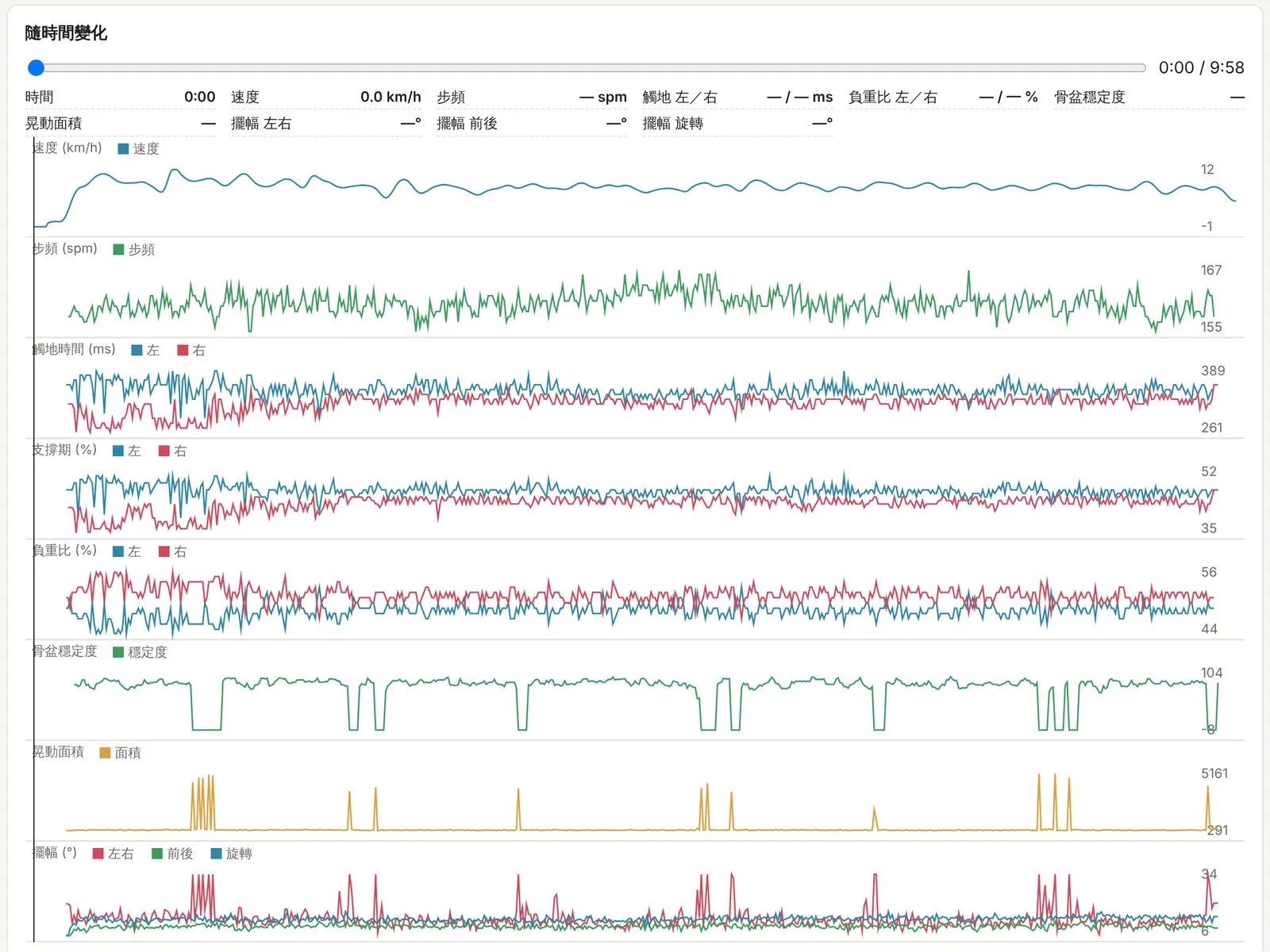
Running report summary: score, time, distance, pace, steps, cadence Running report timeline: speed, cadence, ground contact, stance phase, loading ratio, pelvic stability
Running report: per-step cadence, ground contact time, left and right stance phase and loading ratio, pelvic stability and range of motion.

Running Report

  • Route colored by speed; click the route to jump to that moment.
  • Left and right side by side: ground contact, stance, swing and loading ratio are all shown per side.
  • Pelvic data: stability, sway area, three-axis range of motion and symmetry.
  • Hexagon and per-parameter ratings: value, unit, grade and score for every parameter in one table.
~120
Runners in the running norms
~370
Records in the cycling pelvic norms
1.9%
Pedal-cycle count difference vs. Garmin over a 100 km ride
100km
Single outdoor ride fully analyzed

Norm sample sizes vary by metric. Cycle-count comparison from one rider over 100 km (algorithm 15,744 cycles, Garmin 16,054).

Use Cases

What You Can Do with Mango

Outdoor motion tracking, suggestions and re-checking, with the focus on comparing against yourself.

1

Find where your form slips

In one 100 km test ride, pelvic rotation rose from about 6° on the flat to about 10° on the main climb, and forward-back motion also grew clearly. Reports flag segments like this.

2

See the effect of power and gradient

For the same rider, harder efforts meant more pelvic motion, and so did steeper climbs with lower cadence. Seeing this tells you which situations to watch in training.

3

Compare with your last session

On the same route under similar conditions, compare stability and range of motion with last time. After changing saddle height, shoes or core training, check the data for a difference.

4

Event reports

Full-course reports have already been produced for several riders at a real cycling event, and can be turned into a personal posture report for each participant.

5

Bike fitting and coaching

After an indoor fit, record a ride on real outdoor roads to check whether the position holds up over a long ride.

6

Left-right gait for runners

Ground contact, stance phase and loading ratio are calculated per side, together with pelvic range, to see whether both sides are balanced.

Data You Can Trust

We Only Claim What We Have Validated

A pelvic sensor can only see so much, and Mango is clear about the difference.

What you can rely on

  • Pedal cycle count: within 1.9% of Garmin over a 100 km ride.
  • Norm-based scores: recalculated stability scores match production record by record, and the norm population is traceable.
  • Every score states what it is compared against: the indoor trainer population, the running population, or your own history.

What we do not draw conclusions from yet

  • Left-right pedaling power balance estimated from the pelvis alone.
  • Absolute angles without anatomical calibration: reports focus on range of motion and stability.
  • Outdoor rides are shown against your own history and as percentiles first; grades will be rebuilt once more outdoor data is collected.
Configuration

Configuration Instructions

Hardware

Solution 1Mango belt + smartphone (phone in the rear belt pocket)
Solution 2MOXI sensor (fixed on the lower back at L5) + smartphone
Multi-sensor modePelvis + left and right shank, 3 sensors in total
PositioningPhone GPS; GPS records from devices such as Garmin can also be imported
MOXI specsSampling rate, battery, size, weightTBD

Software & Services

SportsRunning, cycling (indoor trainer and outdoor)
AppRecord, upload, view scores and charts
Cloud computingAutomatic calculation after upload; long recordings upload directly to cloud storage
ReportsRunning report and outdoor cycling report (interactive web pages), with hexagon and per-parameter ratings
NormsRunning and cycling norm databases for scores, grades and percentiles
User websiteActivity history, pelvic range of motion, GPS routes
TEKFIT Mango App

Take Mango on Your Next Session

For trials, event report partnerships or bike-fit studio adoption, get in touch with us.